ArgoCD Notifications(Helm) の設定
Kubernetes クラスタでアプリケーションのデリバリーを自動化する ArgoCD と、通知ツールとしての Slack を連携させる方法を解説します。
これにより、デプロイや同期の状態を Slack チャンネルへリアルタイムで通知し、運用時の可視性と即応性を向上させることができます。
Slack の設定
Section titled “Slack の設定”Slack Apps の作成
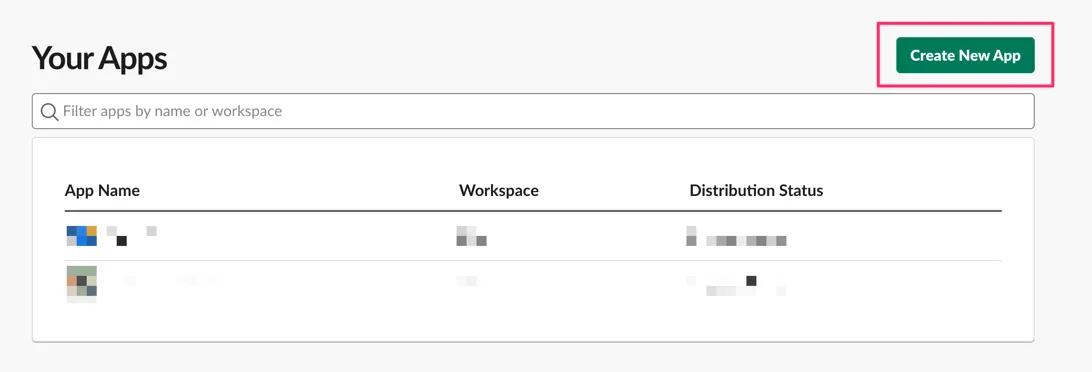
Section titled “Slack Apps の作成”- slack apiページへアクセスし、
Create New Appをクリックします。
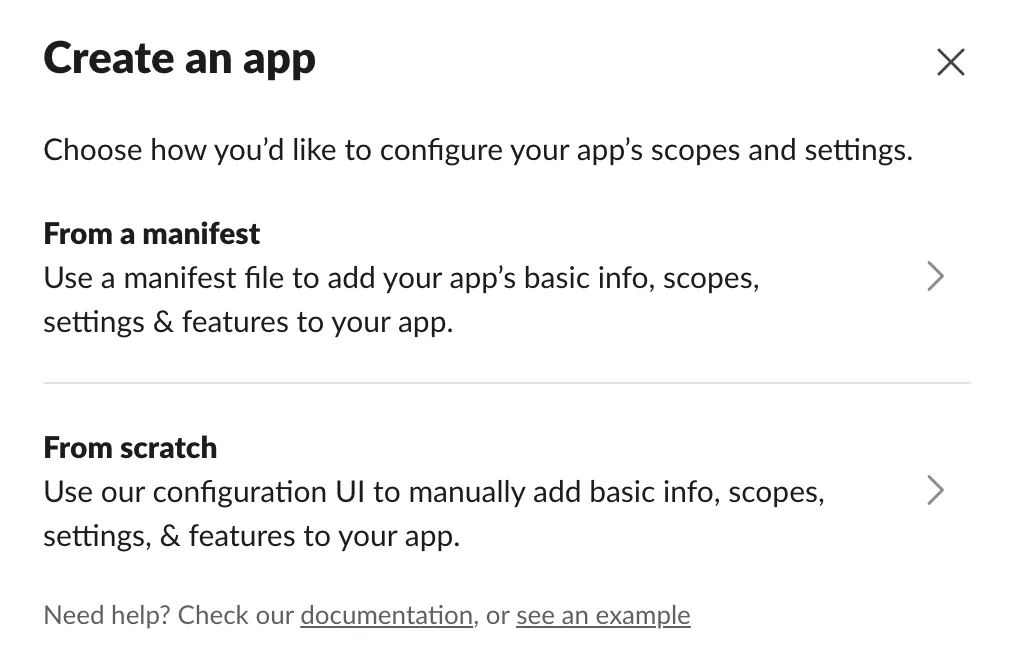
From scratchを選択し、App Name の入力と Workspace を選択します。
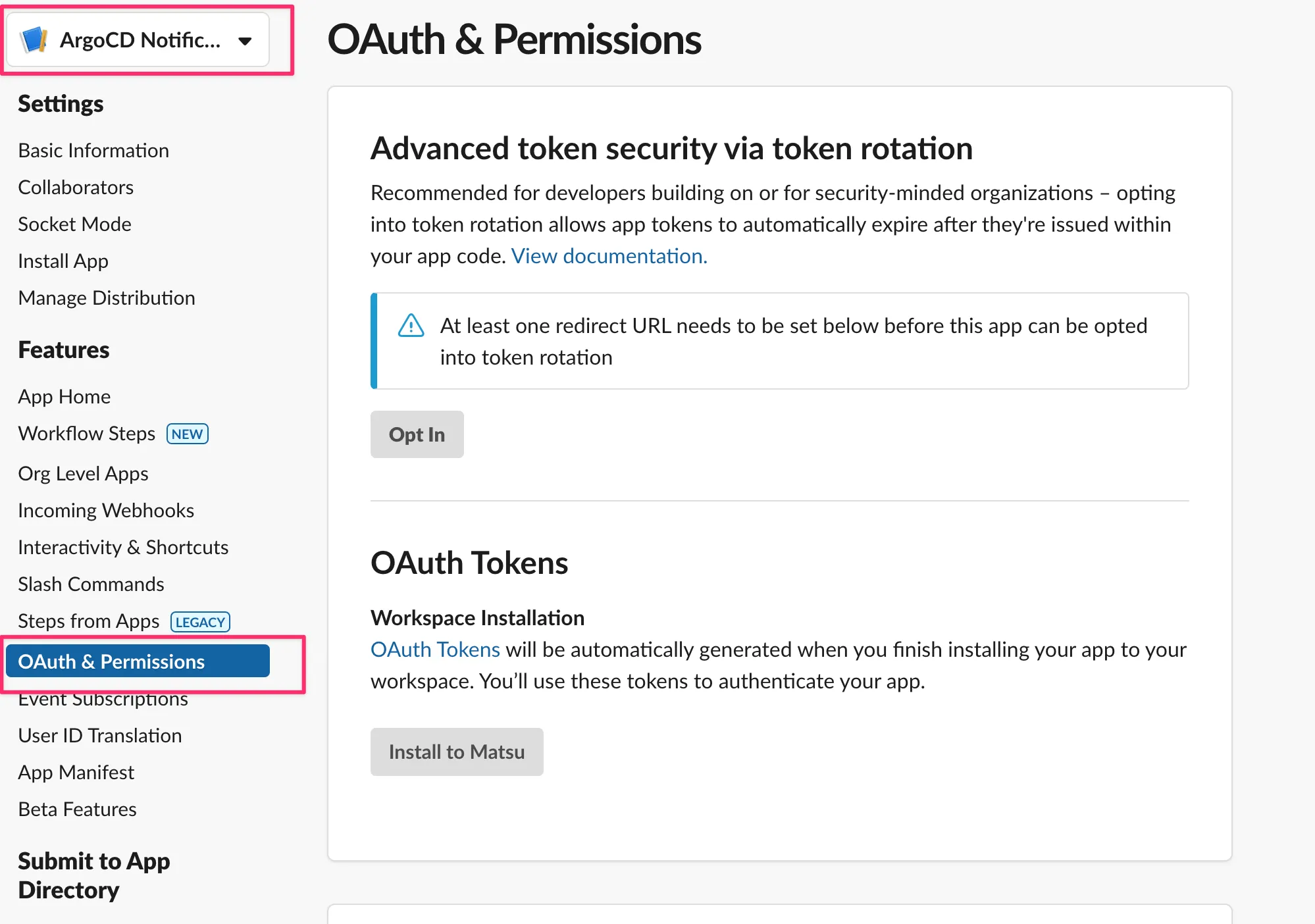
- 左上のアプリ名が先ほど入力したものが選択されていることを確認した上で、サイドバーの
OAuth & Permissionsを選択します。
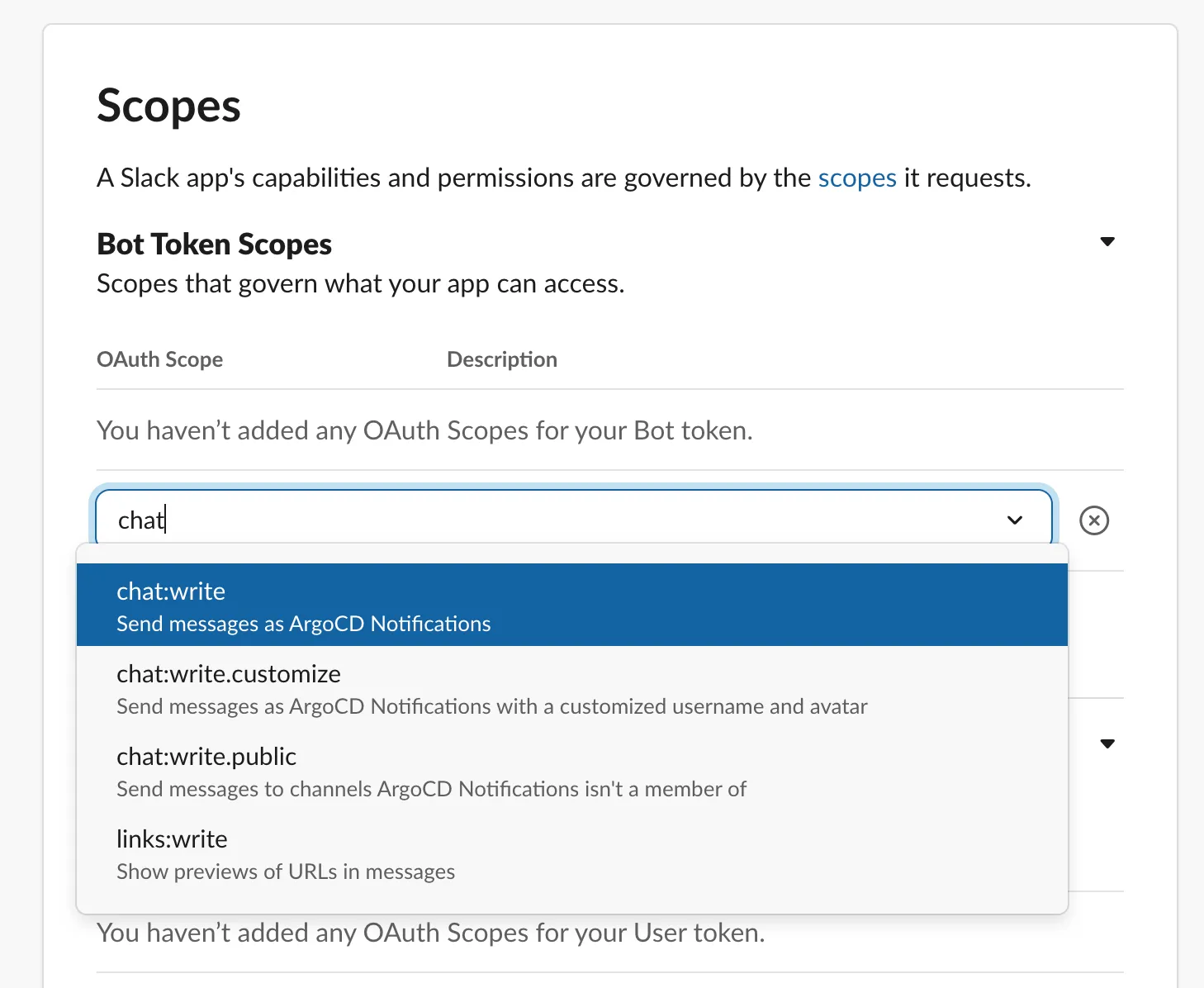
- Scopes で
chat:writeを選択する
- サイドバーの
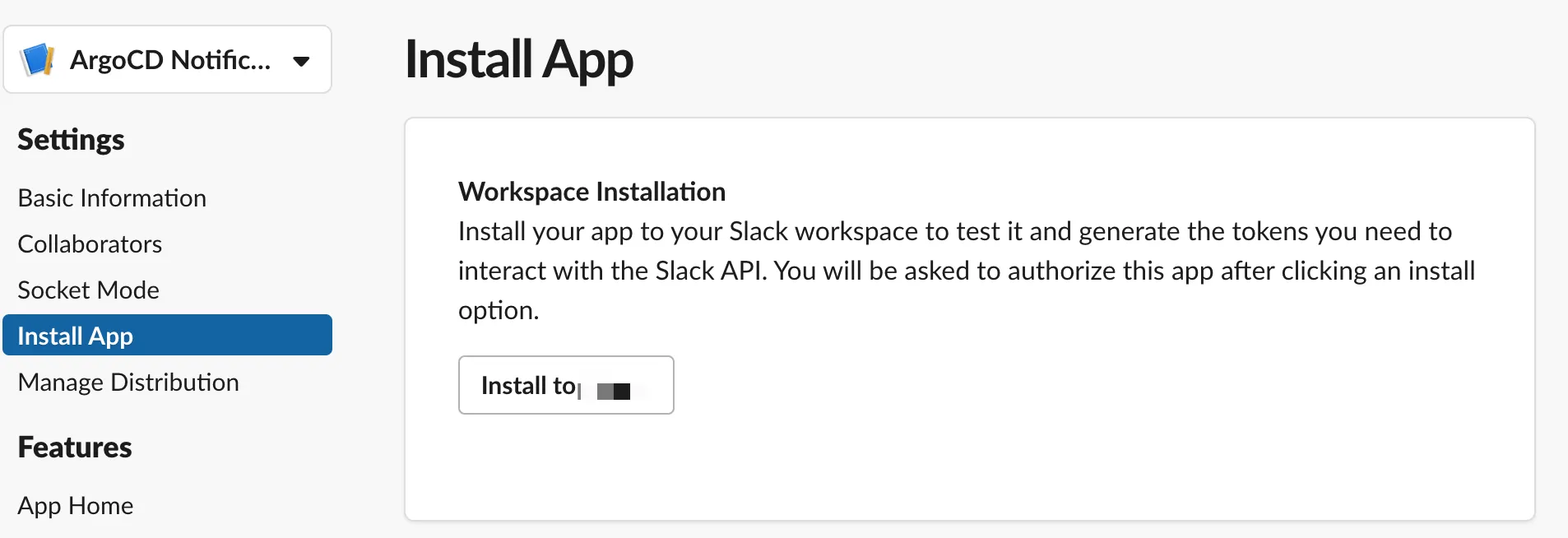
Install Appを選択し、Workspace にインストールを行います。
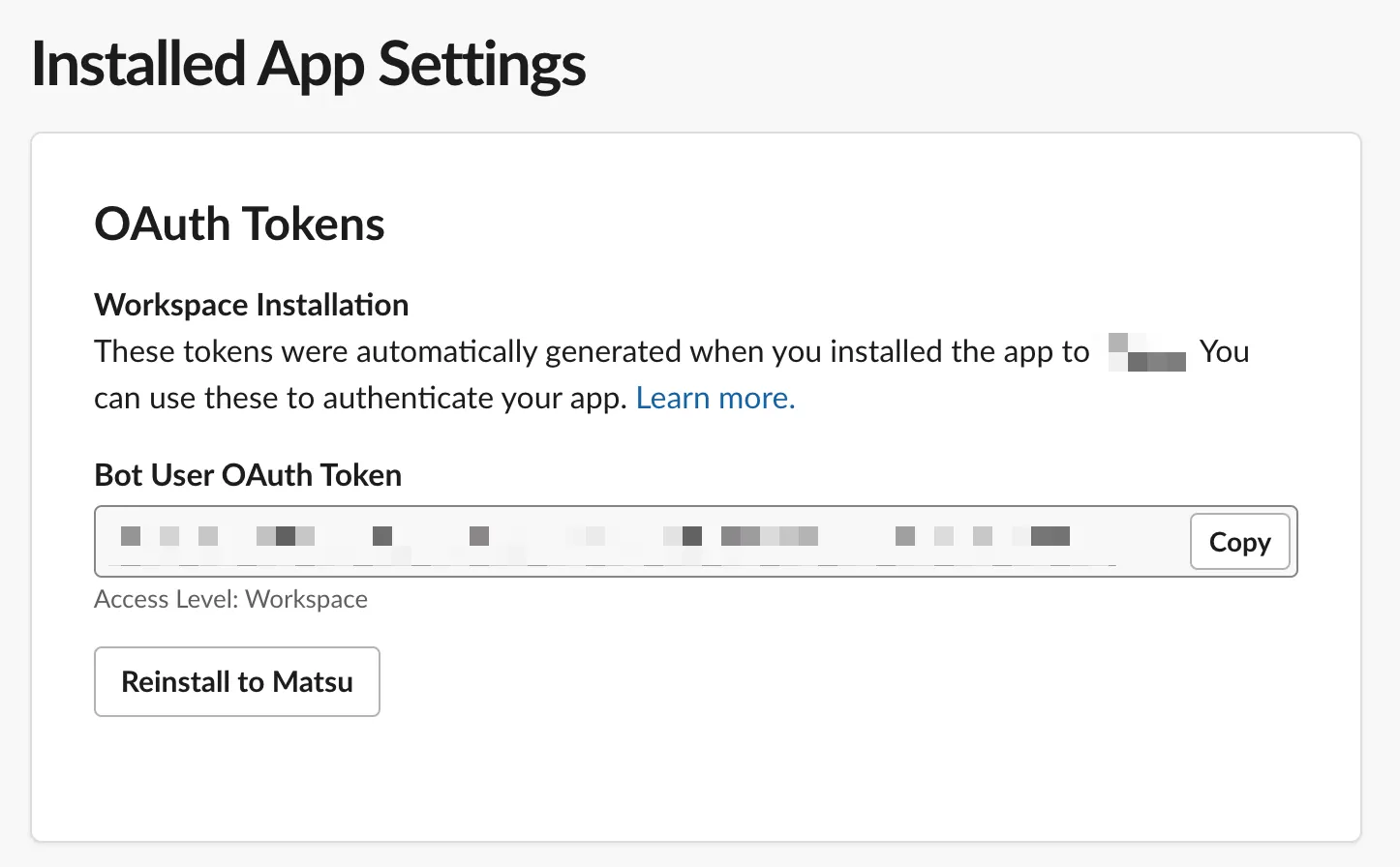
- インストールが完了すると
Bot User OAuth Tokenが表示されるのでメモしておきます。
Slack チャンネルのインテグレーション設定
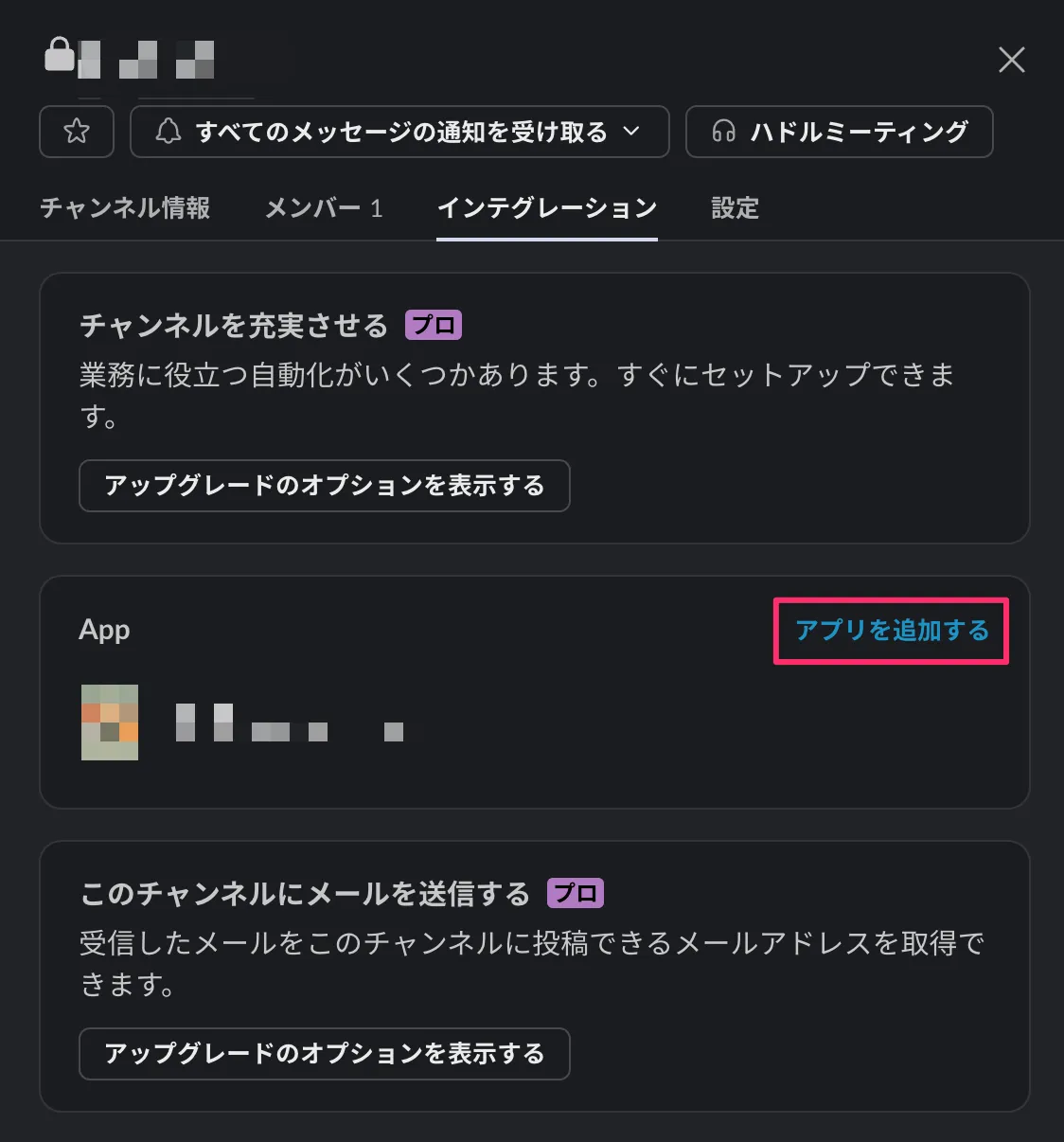
Section titled “Slack チャンネルのインテグレーション設定”チャンネル設定画面から先ほど作成した Slack アプリを追加します。
ArgoCD(Helm) の設定
Section titled “ArgoCD(Helm) の設定”secret の作成
Section titled “secret の作成”notifications: secret: items: slack-token: <Bot User OAuth Token>notifiers 設定
Section titled “notifiers 設定”Argo CD Notifications が Secret で登録したトークンを使用するように設定します。
notifications: notifiers: service.slack: | token: $slack-tokensubscriptions 設定
Section titled “subscriptions 設定”通知先のチャンネルとトリガーを設定します。
notifications: subscriptions: - recipients: - slack:<Channel name> triggers: - on-deployed - on-sync-running - on-sync-status-unknown - on-sync-succeededtriggers 設定
Section titled “triggers 設定”トリガーの内容を設定します。
notifications: triggers: trigger.on-deployed: | - description: Application is synced and healthy. Triggered once per commit. oncePer: app.status.sync.revision send: - app-deployed when: app.status.operationState.phase in ['Succeeded'] and app.status.health.status == 'Healthy' trigger.on-health-degraded: | - description: Application has degraded send: - app-health-degraded when: app.status.health.status == 'Degraded' trigger.on-sync-failed: | - description: Application syncing has failed send: - app-sync-failed when: app.status.operationState.phase in ['Error', 'Failed'] trigger.on-sync-running: | - description: Application is being synced send: - app-sync-running when: app.status.operationState.phase in ['Running'] trigger.on-sync-status-unknown: | - description: Application status is 'Unknown' send: - app-sync-status-unknown when: app.status.sync.status == 'Unknown' trigger.on-sync-succeeded: | - description: Application syncing has succeeded send: - app-sync-succeeded when: app.status.operationState.phase in ['Succeeded'] defaultTriggers: | - on-deployed - on-sync-running - on-sync-status-unknown - on-sync-succeededtemplates 設定
Section titled “templates 設定”Slack のメッセージ内容のテンプレートを設定します。
Application ソースの指定方法として、単体で指定する方法と複数指定する方法の2種類があります。
spec: source: repoURL:spec: sources: - repoURL:どちらの repoURL も表示するには条件分岐して表示を設定する必要があります。
{{if .app.spec.source.repoURL}}{ "value": "{{.app.spec.source.repoURL}}",},{{else}}{ "value": "{{ (index .app.spec.sources 0).repoURL }}",},{{end}}そのため、以下のような設定を行います。
notifications: templates: template.app-deployed: | slack: attachments: | [{ "title": "{{ .app.metadata.name}}", "title_link":"{{.context.argocdUrl}}/applications/{{.app.metadata.name}}", "color": "#18be52", "fields": [ { "title": "Sync Status", "value": "{{.app.status.sync.status}}", "short": true }, {{if .app.spec.source.repoURL}} { "title": "Repository", "value": "{{.app.spec.source.repoURL}}", "short": true }, {{else}} { "title": "Repository", "value": "{{ (index .app.spec.sources 0).repoURL }}", "short": true }, {{end}} { "title": "Revision", "value": "{{.app.status.sync.revision}}", "short": true } {{range $index, $c := .app.status.conditions}} {{if not $index}},{{end}} {{if $index}},{{end}} { "title": "{{$c.type}}", "value": "{{$c.message}}", "short": true } {{end}} ] }] template.app-health-degraded: | slack: attachments: |- [{ "title": "{{ .app.metadata.name}}", "title_link": "{{.context.argocdUrl}}/applications/{{.app.metadata.name}}", "color": "#f4c030", "fields": [ { "title": "Sync Status", "value": "{{.app.status.sync.status}}", "short": true }, {{if .app.spec.source.repoURL}} { "title": "Repository", "value": "{{.app.spec.source.repoURL}}", "short": true } {{else}} { "title": "Repository", "value": "{{ (index .app.spec.sources 0).repoURL }}", "short": true } {{end}} {{range $index, $c := .app.status.conditions}} {{if not $index}},{{end}} {{if $index}},{{end}} { "title": "{{$c.type}}", "value": "{{$c.message}}", "short": true } {{end}} ] }] template.app-sync-failed: | slack: attachments: |- [{ "title": "{{ .app.metadata.name}}", "title_link":"{{.context.argocdUrl}}/applications/{{.app.metadata.name}}", "color": "#E96D76", "fields": [ { "title": "Sync Status", "value": "{{.app.status.sync.status}}", "short": true }, {{if .app.spec.source.repoURL}} { "title": "Repository", "value": "{{.app.spec.source.repoURL}}", "short": true } {{else}} { "title": "Repository", "value": "{{ (index .app.spec.sources 0).repoURL }}", "short": true } {{end}} {{range $index, $c := .app.status.conditions}} {{if not $index}},{{end}} {{if $index}},{{end}} { "title": "{{$c.type}}", "value": "{{$c.message}}", "short": true } {{end}} ] }] template.app-sync-running: | slack: attachments: |- [{ "title": "{{ .app.metadata.name}}", "title_link":"{{.context.argocdUrl}}/applications/{{.app.metadata.name}}", "color": "#0DADEA", "fields": [ { "title": "Sync Status", "value": "{{.app.status.sync.status}}", "short": true }, {{if .app.spec.source.repoURL}} { "title": "Repository", "value": "{{.app.spec.source.repoURL}}", "short": true } {{else}} { "title": "Repository", "value": "{{ (index .app.spec.sources 0).repoURL }}", "short": true } {{end}} {{range $index, $c := .app.status.conditions}} {{if not $index}},{{end}} {{if $index}},{{end}} { "title": "{{$c.type}}", "value": "{{$c.message}}", "short": true } {{end}} ] }] template.app-sync-status-unknown: | slack: attachments: |- [{ "title": "{{ .app.metadata.name}}", "title_link":"{{.context.argocdUrl}}/applications/{{.app.metadata.name}}", "color": "#E96D76", "fields": [ { "title": "Sync Status", "value": "{{.app.status.sync.status}}", "short": true }, {{if .app.spec.source.repoURL}} { "title": "Repository", "value": "{{.app.spec.source.repoURL}}", "short": true } {{else}} { "title": "Repository", "value": "{{ (index .app.spec.sources 0).repoURL }}", "short": true } {{end}} {{range $index, $c := .app.status.conditions}} {{if not $index}},{{end}} {{if $index}},{{end}} { "title": "{{$c.type}}", "value": "{{$c.message}}", "short": true } {{end}} ] }] template.app-sync-succeeded: | slack: attachments: |- [{ "title": "{{ .app.metadata.name}}", "title_link":"{{.context.argocdUrl}}/applications/{{.app.metadata.name}}", "color": "#18be52", "fields": [ { "title": "Sync Status", "value": "{{.app.status.sync.status}}", "short": true }, {{if .app.spec.source.repoURL}} { "title": "Repository", "value": "{{.app.spec.source.repoURL}}", "short": true } {{else}} { "title": "Repository", "value": "{{ (index .app.spec.sources 0).repoURL }}", "short": true } {{end}} {{range $index, $c := .app.status.conditions}} {{if not $index}},{{end}} {{if $index}},{{end}} { "title": "{{$c.type}}", "value": "{{$c.message}}", "short": true } {{end}} ] }]これにより、Helm でインストールした ArgoCD から Slack に通知を行う設定が完了します。
トラブルシューティング
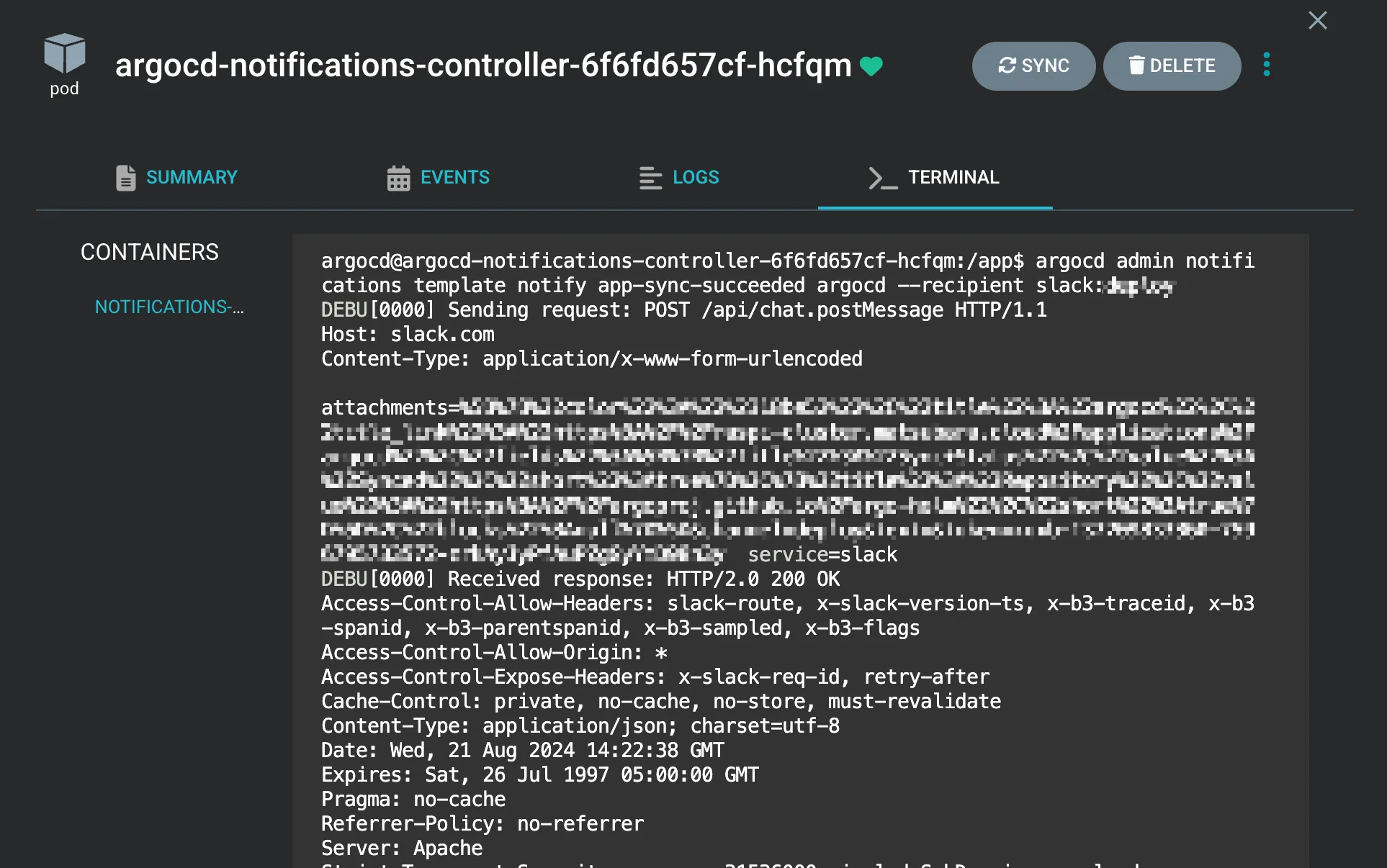
Section titled “トラブルシューティング”通知に関する問題が発生した場合、argocd-notifications-controller Pod のログを確認します。
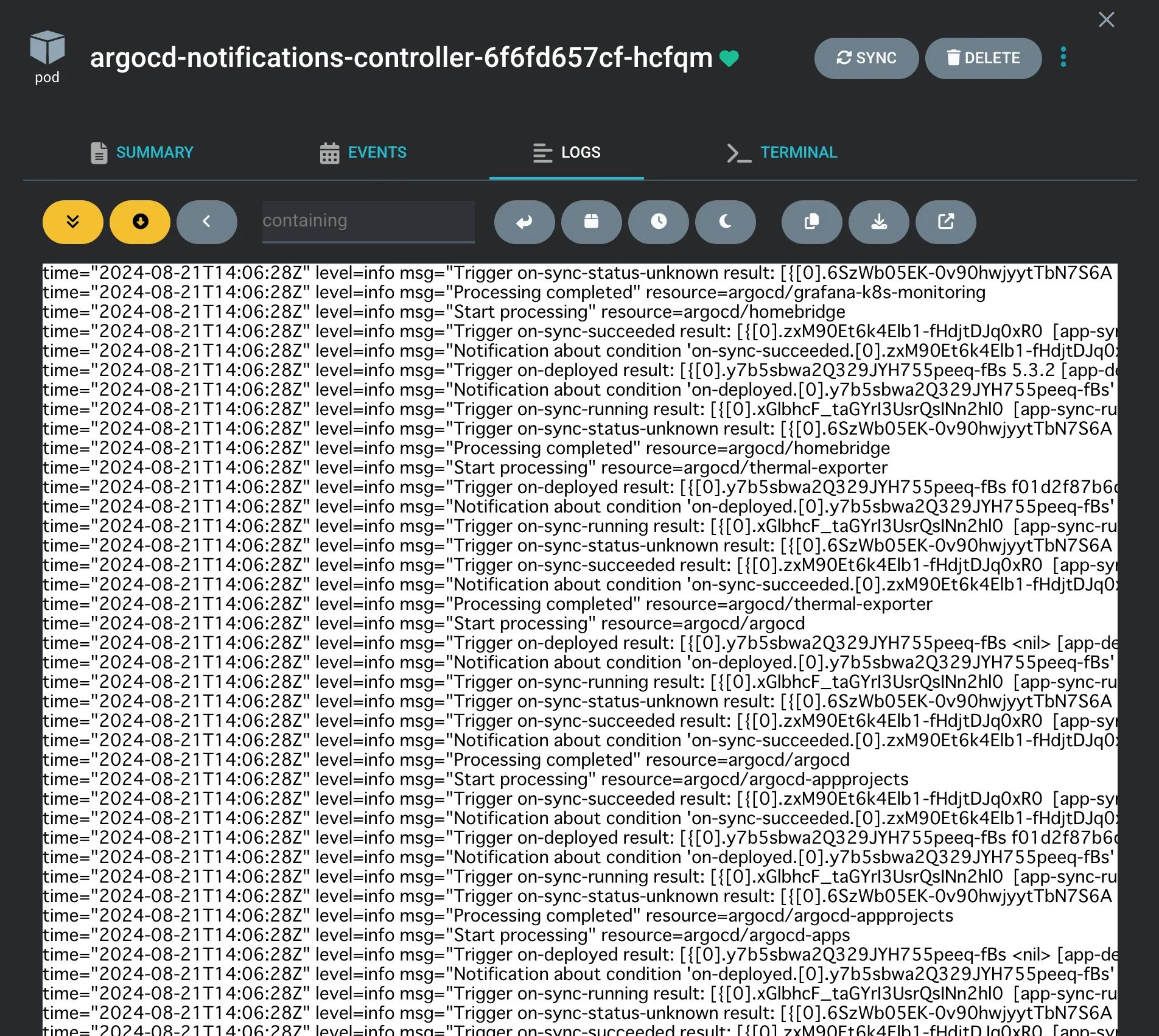
argocd-notifications-controller Pod 内から argocd admin notifications template notify コマンドを使用して、通知のテスト送信が可能です。
argocd admin notifications template notify app-sync-succeeded <Application Name> --recipient slack:<Channel Name>